

Open JupyterLab from your browser and run Python notebooks on the robot.
Software
Hostname or IP Address
Use http://robot.local:8000/lab when the default hostname works. If you changed the hostname, use the new hostname with the same port and /lab path. You can also use the robot's IP address with :8000/lab.
Software
Confirm robot network access
Make sure your computer and the robot are on the same Wi-Fi network.
Open the JupyterLab address
Open http://robot.local:8000/lab in a browser. If you changed the hostname, use the new hostname. You can also use the robot's IP address with the same :8000/lab path.
Enter the token
When the Jupyter Server login page appears, enter the default token NetizenRobotics and click Log in.
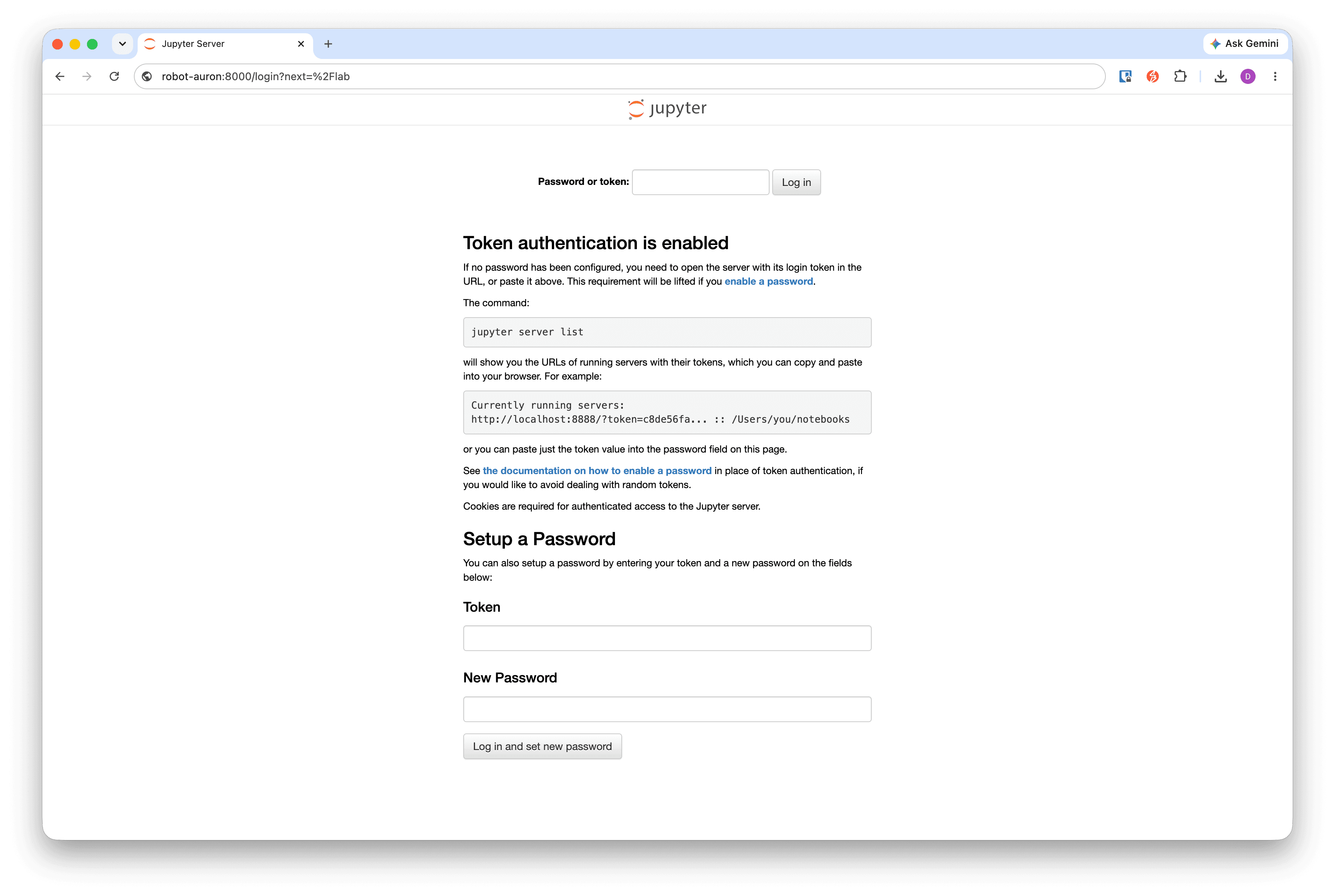
Jupyter Server Login
Enter the default token NetizenRobotics in the token field.
Start programming
After JupyterLab opens, use the launcher, file browser, or existing notebooks to start programming.
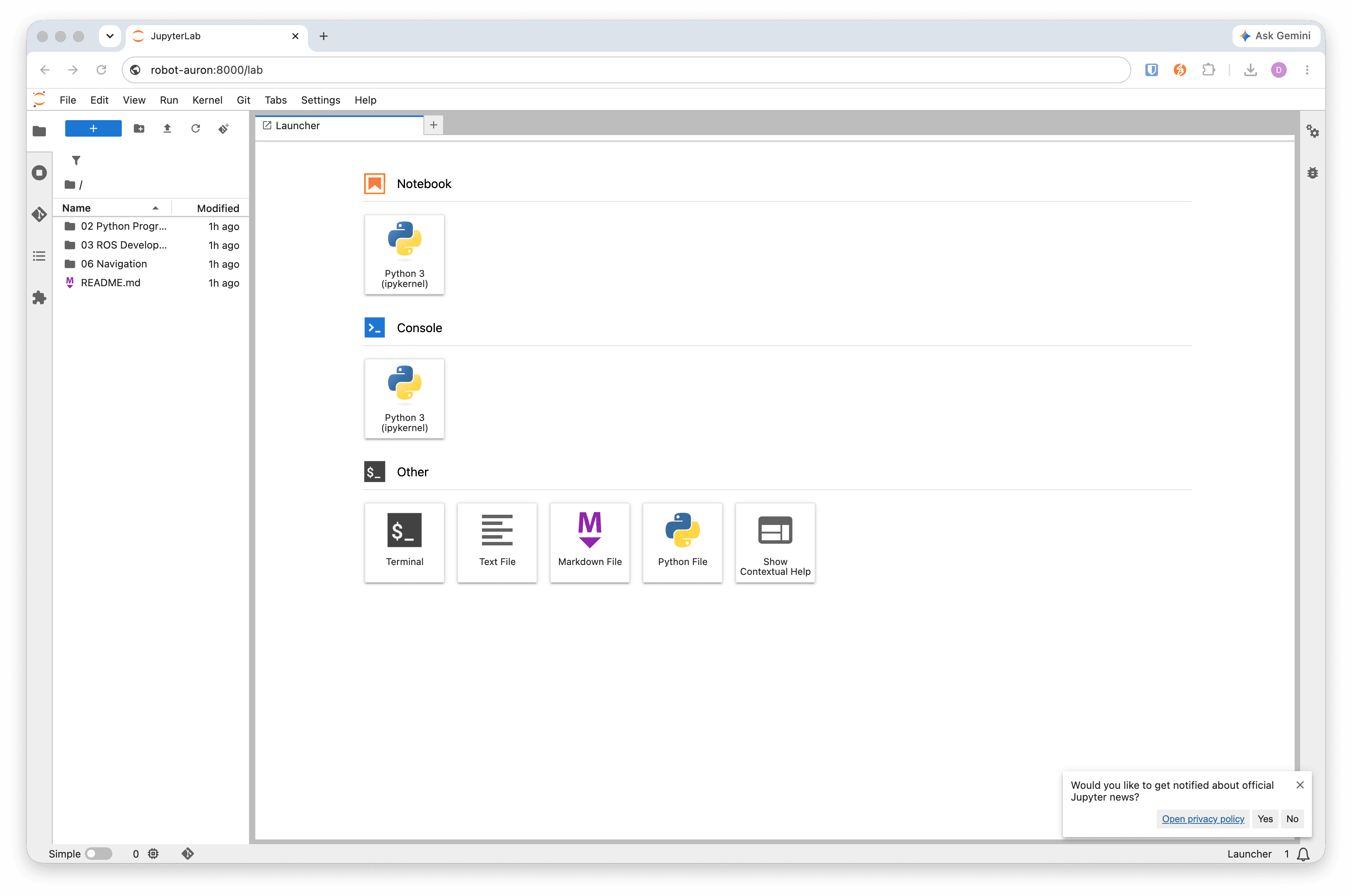
JupyterLab Launcher
Use the JupyterLab launcher to open notebooks, files, terminals, and Python tools on the robot.